Free to use
VQ for Asterisk adds call quality monitoring to the Asterisk PBX you already run, free of charge. One command installs it: from then on, every call the PBX carries gets a network MOS score, packet loss and jitter figures and SIP call analytics, shown in a web dashboard and available through a REST API. Asterisk keeps running while it installs, and calls are never touched.
Free call quality monitoring for Asterisk
VQ for Asterisk runs Sevana’s VQ Monitor engine, the same one as in the standalone VQ Monitor server, next to your PBX. The engine watches the PBX’s own network interfaces like a packet sniffer, so it never sits in Asterisk’s channels or media path, and a small Asterisk module starts it, keeps it running and lets you control it from the Asterisk CLI. There is no probe, mirror port or monitoring server to set up.
Network MOS on every call
Every RTP stream is scored with the ITU-T G.107 E-model from its packet loss and jitter, every 10 seconds and for the whole call, and tied to its SIP call: caller, callee, Call-ID, codecs and outcome.
One command to install
The installer builds the module against your own Asterisk, installs the engine and dashboard, and loads the module into the running PBX. Running it again upgrades; --uninstall removes everything.
Safe for the PBX
The engine and the dashboard run as separate processes under the Asterisk user. The module restarts them if they exit, and nothing they do can crash Asterisk or disturb a call.
Operated from the Asterisk CLI
vq show status reports the engine, capture counters and dashboard. vq track add picks calls whose audio is recorded for listening.
Install
On the Linux host where Asterisk runs:
curl -fsSL https://f.sevana.biz/vq-asterisk/install.sh | sudo bash
The installer finds your Asterisk and its configuration, shows the licence agreement for the engine and asks you to accept it. If the compiler, the Asterisk headers or the ZeroMQ library are missing, it offers to install them. It then builds the module for your Asterisk version, installs everything, and loads the module into the running PBX without restarting it. When it finishes, it prints the engine’s status and where to find the dashboard.
Options go after bash -s --, for example --iface eth0 to choose the capture interface or --dashboard-port 8080. The release files, with their SHA-256 checksums, are at f.sevana.biz/vq-asterisk. To install on a host without internet access, download the release and run install.sh --package.
How it works
The engine captures SIP and RTP with libpcap, ties every RTP stream to its SIP call, computes network MOS, and publishes per-stream and per-interval reports on a local ZeroMQ bus. The dashboard subscribes to that bus, stores the results in SQLite, and serves the web UI and REST API. The bus uses the same documented schema as the standalone VQ Monitor server, so your own tools can subscribe to it as well.
Asterisk
 ├─ chan_pjsip / RTP               calls, untouched
 └─ res_vq_monitor.so              starts, supervises and controls:
      ├─ vq-core   capture: SIP + RTP → network MOS → ZeroMQ reports (loopback)
      └─ vq-db     SQLite, web dashboard, REST API (loopback)
                        ▲
      SSH tunnel or reverse proxy with authentication ── your users
Record the calls you need to hear
Statistics are kept for every call. Audio is only recorded on request, because it takes about 1.3 MB per stream for every 10 seconds, against a few hundred bytes for the statistics. Add a pattern such as a SIP address or a Call-ID to the track list, and the matching calls are recorded, including calls already in progress. You can then play or download them from the dashboard. By default, statistics are kept for 14 days and audio for one hour.
*CLI> vq track add 1002@
*CLI> vq show track
*CLI> vq track clear
The dashboard’s Track list page edits the same list, so support staff can record a problem extension’s calls without shell access to the PBX.
Dashboard, SIP call analytics and REST API
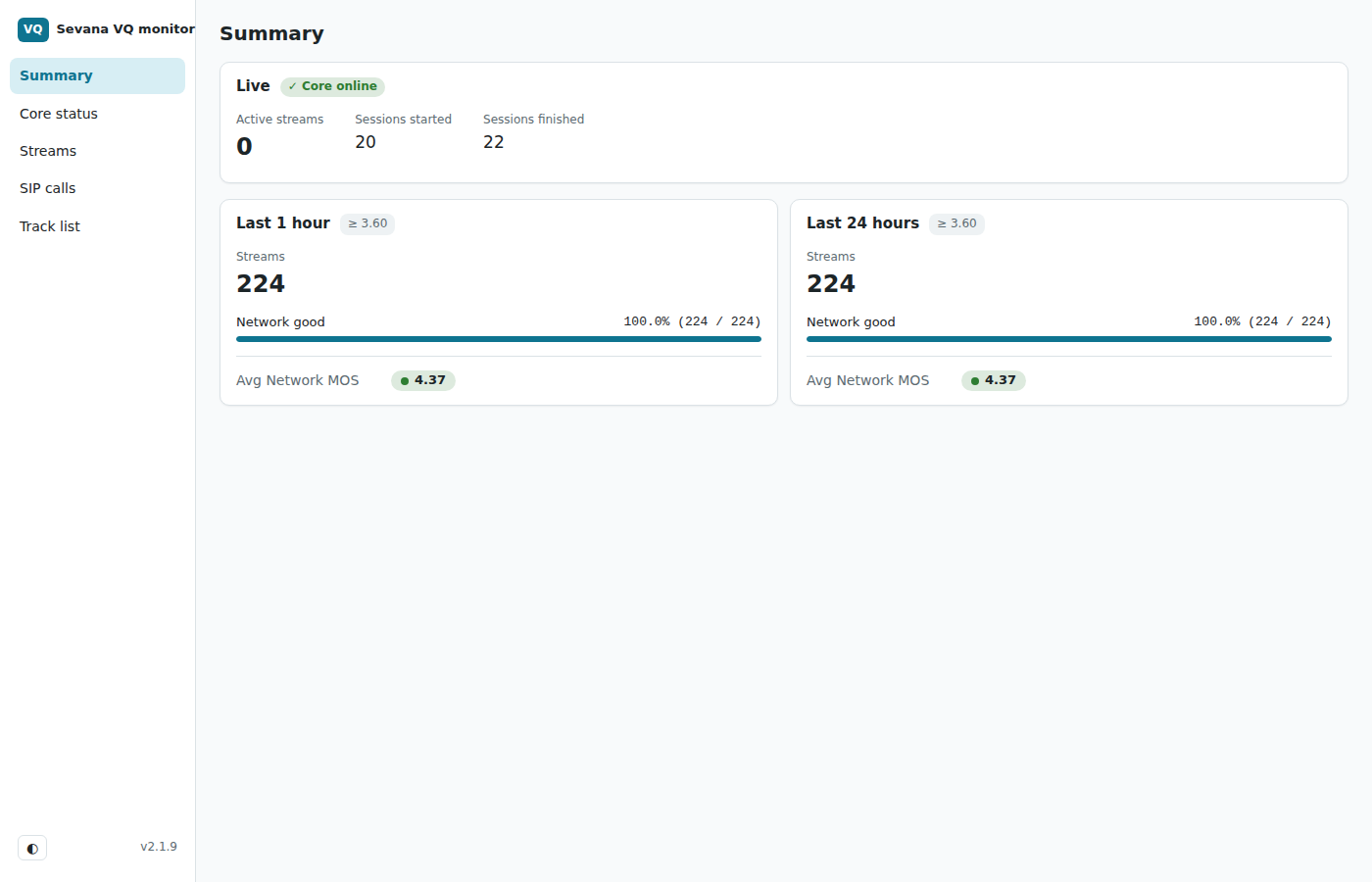
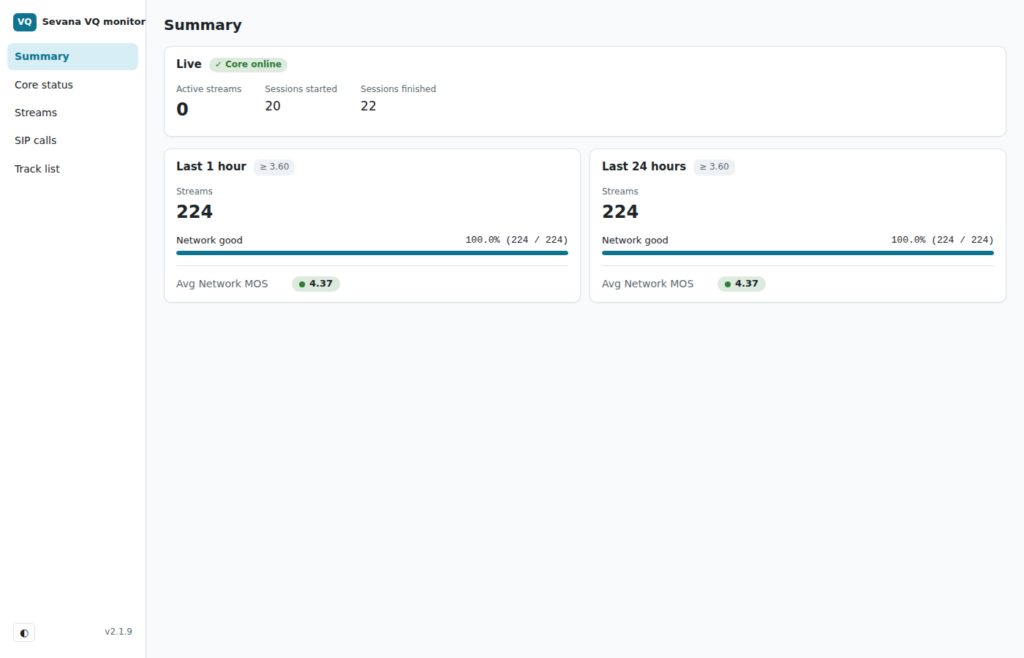
- Summary: live stream count, and for the last hour and last 24 hours the share of streams with good network MOS and the average score.
- Streams: one row per RTP stream, with filter expressions such as
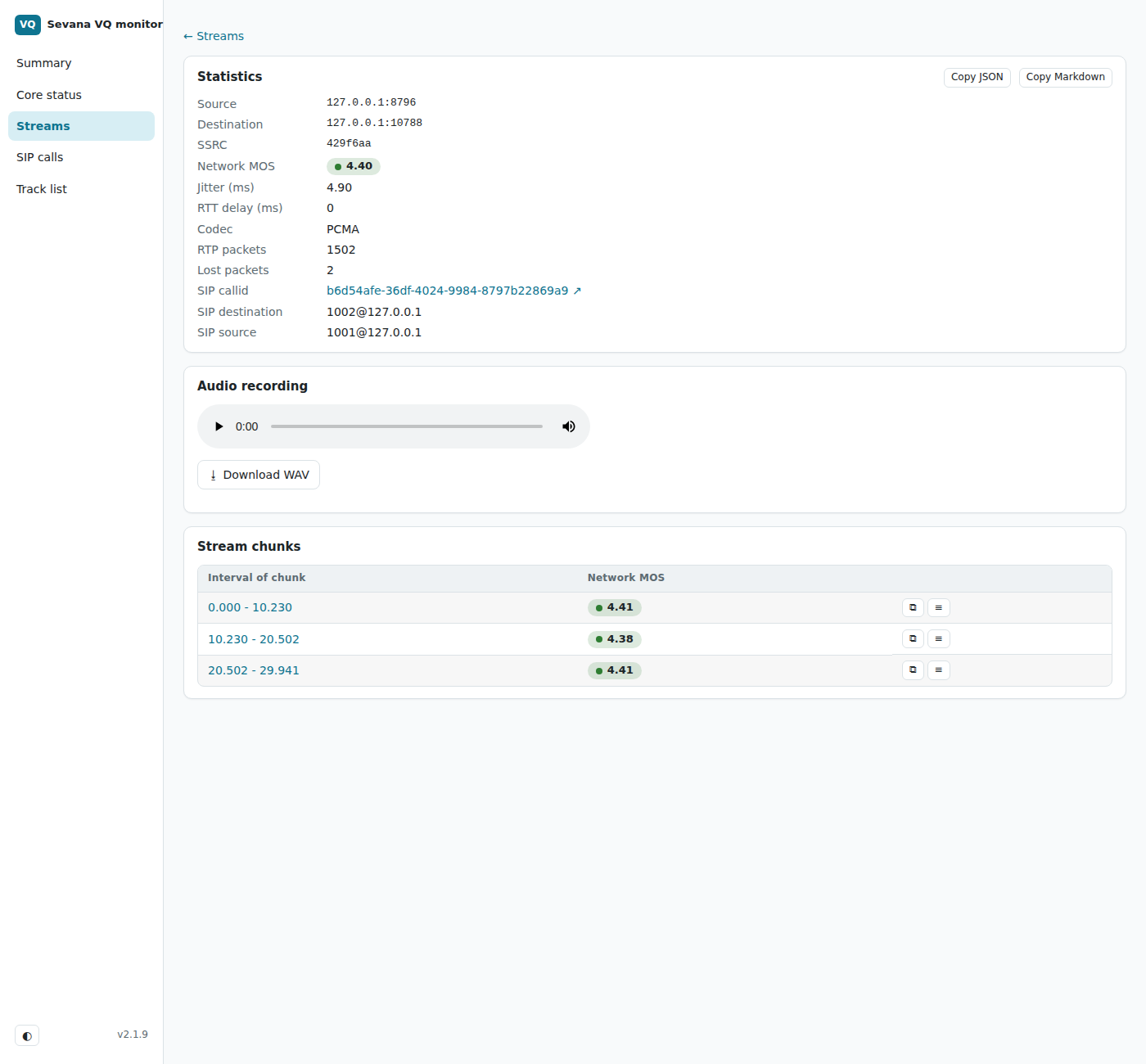
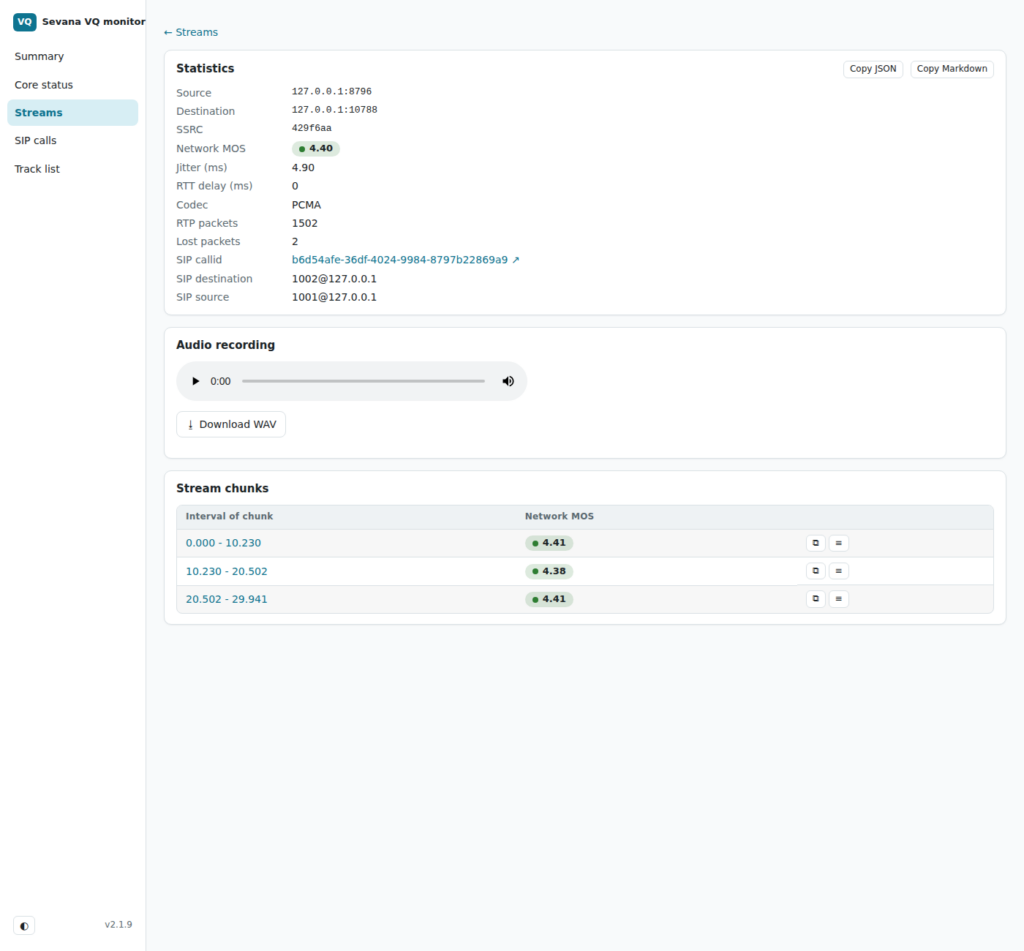
network_mos < 3.6 && jitter > 20and CSV export. - Stream detail: codec, packets, loss, jitter, network MOS for each 10-second interval, the SIP call, and the recorded audio if any.
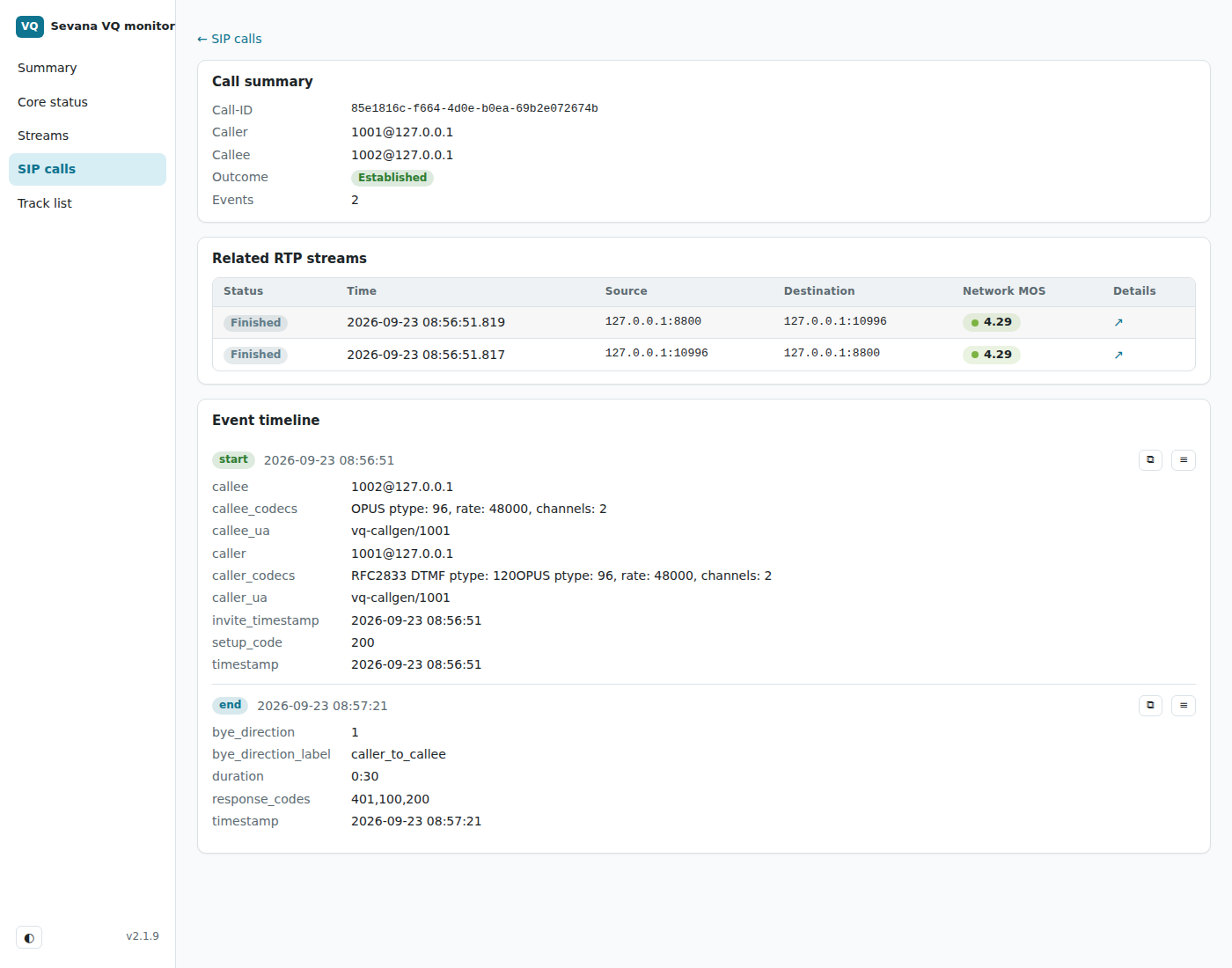
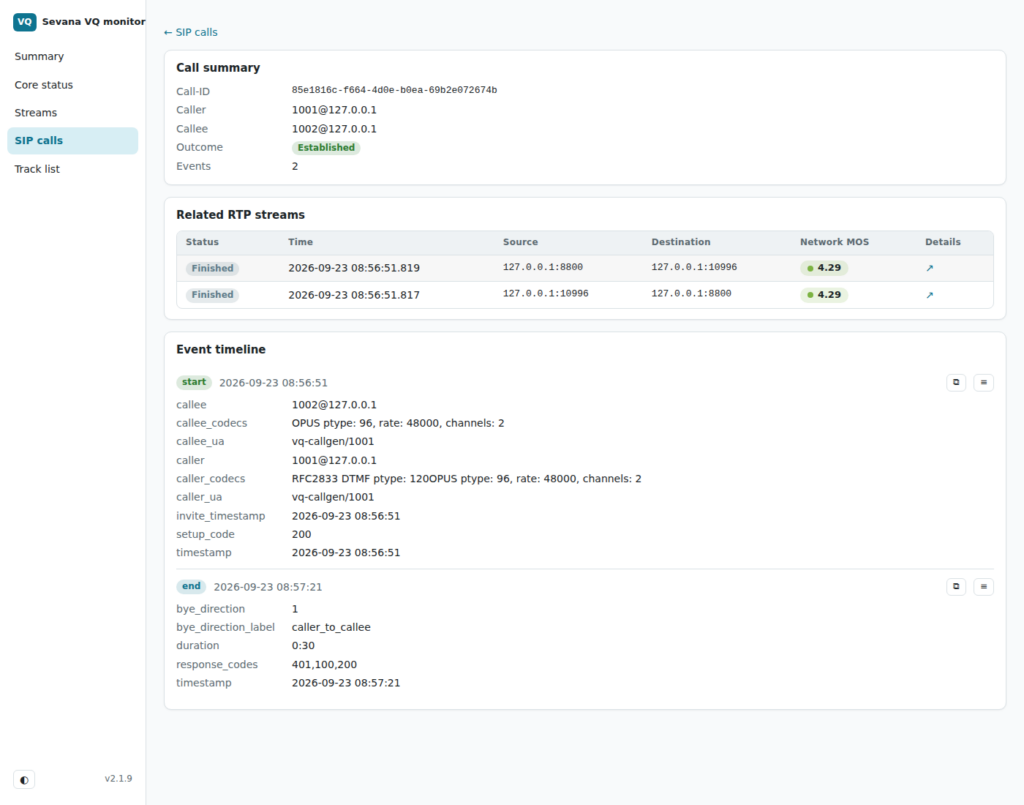
- SIP calls: every SIP dialog the PBX handled, with its outcome and final response code, and a timeline showing codecs, user agents and which side hung up.
- Call diagnostics: after each call, the engine compares its two directions and flags one-way audio, a codec or packetization (ptime) mismatch, a payload type mismatch, a direction that stopped early, and late media. The warnings show in the SIP call list, on the call detail page and in the REST API.
- Alarms: rules that run a command or call a webhook when network MOS, packet loss, jitter, failed calls, one-way audio or capture drops cross a limit you set; the Alarms page shows their state and the latest alarms.
Everything on the dashboard is also available as JSON or CSV through the documented REST API, so the data can feed your own reporting, NOC tools or billing checks.
Command line reference
vq show status |
The engine and dashboard processes, the engine’s version, streams and SIP calls in progress, and capture counters per interface (including dropped packets) |
vq show track |
The current track list |
vq track add | remove | clear |
Choose which calls are recorded; applies to calls in progress |
vq core restart |
Restart the engine only; calls are not affected |
vq db restart |
Restart the dashboard only |
vq logger reload |
Reopen the engine log after rotation |
Requirements
| PBX | Asterisk with chan_pjsip on 64-bit x86 Linux with glibc 2.35 or newer: Debian 12, Ubuntu 22.04 or later. Tested with Asterisk 18 on Ubuntu 22.04 and Asterisk 20 on Ubuntu 24.04 |
| Privileges | Installing needs root. The engine runs as the Asterisk user; the installer gives its binary the packet-capture capability, and Asterisk itself keeps its usual permissions |
| Capture | The interfaces that carry the PBX’s SIP and RTP. SIP over TLS cannot be parsed, so those streams are scored without caller and callee details. SRTP streams get network metrics only |
| Storage | SQLite, with no external database. Statistics expire after 14 days and audio after one hour, both configurable |
| Security | The dashboard listens on loopback only. Reach it through an SSH tunnel, or publish it through a reverse proxy with authentication |
| Licences | The Asterisk module is open source under the GPL-2.0 (github.com/sevana-ou/vq-asterisk) and the dashboard under the Apache 2.0 licence (github.com/sevana-ou/vq-db). The engine is free to use, commercially too, under the Sevana licence agreement that the installer shows |
Add Sevana MOS: what callers actually heard
Network MOS shows what the transport delivered. It cannot see echo, silence, clipping or a badly configured codec, which spoil calls that the network carried perfectly. Sevana’s perceptual PVQA analysis decodes the audio and scores what the caller actually heard, and its detectors name the impairment. The free edition does network analysis only. Sevana MOS, the impairment detectors and support are available with a commercial licence.
| Free edition | With Sevana PVQA | |
|---|---|---|
| Network MOS, loss, jitter, SIP call analytics | Yes | Yes |
| Call diagnostics: one-way audio, codec and ptime mismatch, late media | Yes | Yes |
| Alarms: a command or webhook when quality crosses a limit | Yes | Yes |
| Audio recording on request, dashboard, REST API | Yes | Yes |
| Sevana MOS from the decoded audio | — | Yes |
| Impairment detectors (echo, silence, dead air and more) | — | Yes |
| One-sided silence: one direction carries only silence | — | Yes |
| Support | Community (GitHub) | Sevana |
Module or standalone server?
Choose VQ for Asterisk when you run one or a few Asterisk PBXs and want quality monitoring without extra hardware, a SPAN port or a separate server. Choose the standalone VQ Monitor server for carrier links, SBCs and mixed networks: it captures mirrored traffic or HEP feeds, scales out with several probes feeding one database, and supports DPDK capture on multi-million packet-per-second links. Both use the same engine, so their network MOS is directly comparable.
Get started
Install VQ for Asterisk on your PBX in a few minutes, or talk to us about Sevana MOS and the standalone VQ Monitor.