Pcaptix turns a packet capture into clear VoLTE call quality analysis, and it handles ordinary VoIP just as well. From a .pcap or .pcapng file, it extracts the SIP and IMS signalling, reconstructs the RTP media, and decodes the audio, including the AMR-NB, AMR-WB and EVS codecs that carry VoLTE. Every stream then earns two complementary scores: Sevana’s perceptual MOS and a network-estimated MOS. Because Pcaptix ships as both a browser app and a native desktop build, you can triage a quick capture online or examine confidential subscriber traffic entirely offline. The Desktop edition even reads encrypted VoLTE captures, decrypting IPsec ESP on the Gm interface before it analyses the media inside.
Pcaptix Online DemoDownload for WindowsDownload for LinuxRequest a demo
VoLTE call quality analysis from a packet capture
Pcaptix links each RTP stream to its SIP dialog by SSRC and Call-ID, while standalone streams still get analysed on their own. For every stream, it decodes the negotiated codec, whether AMR-NB, AMR-WB or EVS on a VoLTE leg, or G.711, G.729 and Opus elsewhere, and then reports a dual MOS alongside R-factor, jitter, delay, packet loss and illegal-packet counters. Moreover, a 680 ms quality timeline marks each interval as OK, poor or uncertain, so you can export the detail to CSV for deeper work.
The main results (and benefits) are:
– Diagnoses bad calls in 30 seconds
– Automatic MOS and jitter analysis without Wireshark
– Find the cause of RTP degradation in one click
– Analyse encrypted VoLTE captures: IPsec ESP decrypted in place
SIP/IMS and RTP extraction
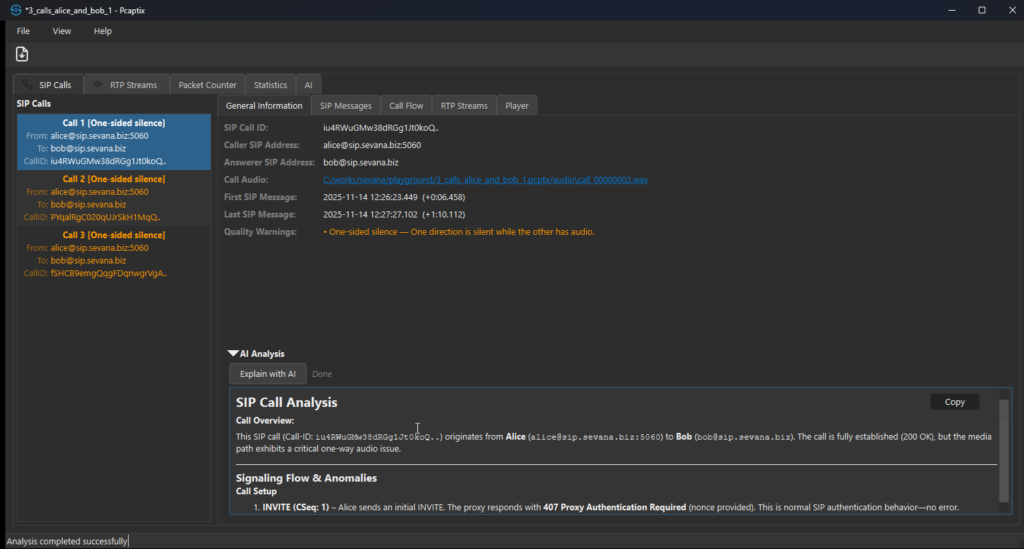
Pcaptix reconstructs calls from .pcap and .pcapng, then links streams to dialogs by SSRC and Call-ID. Even standalone legs captured on an IMS core still receive full analysis.
VoLTE codecs decoded
The engine decodes AMR-NB, AMR-WB and EVS as well as G.711, G.729 and Opus. Therefore perceptual scoring works on real VoLTE media, not only on landline codecs.
Dual MOS per stream
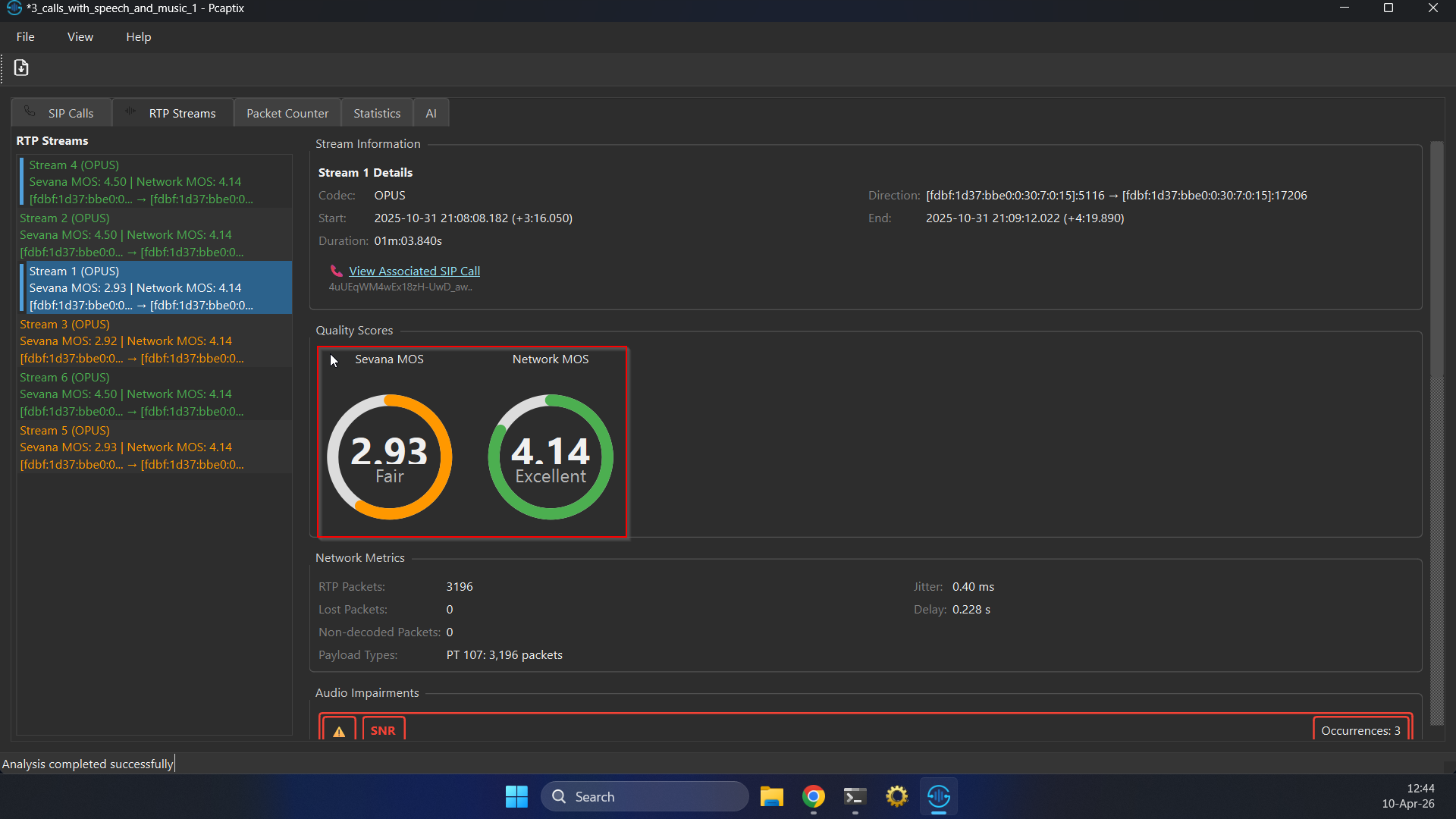
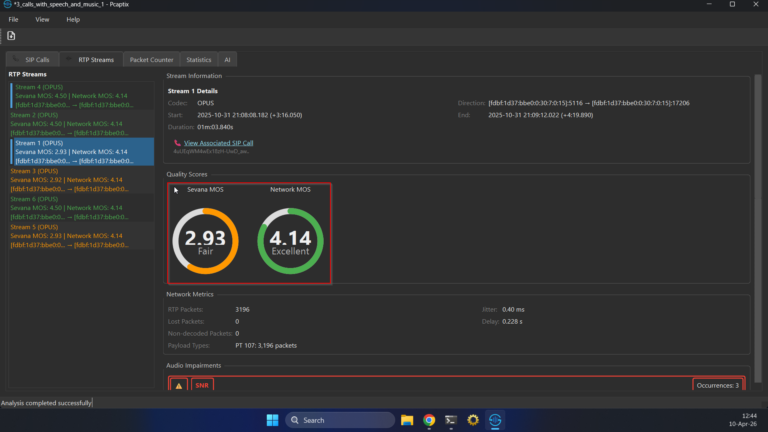
Sevana MOS reflects the decoded audio, whereas Network MOS estimates quality from loss, jitter and delay. Together, the two scores separate radio and transport faults from audio faults.
Impairment timeline and markers
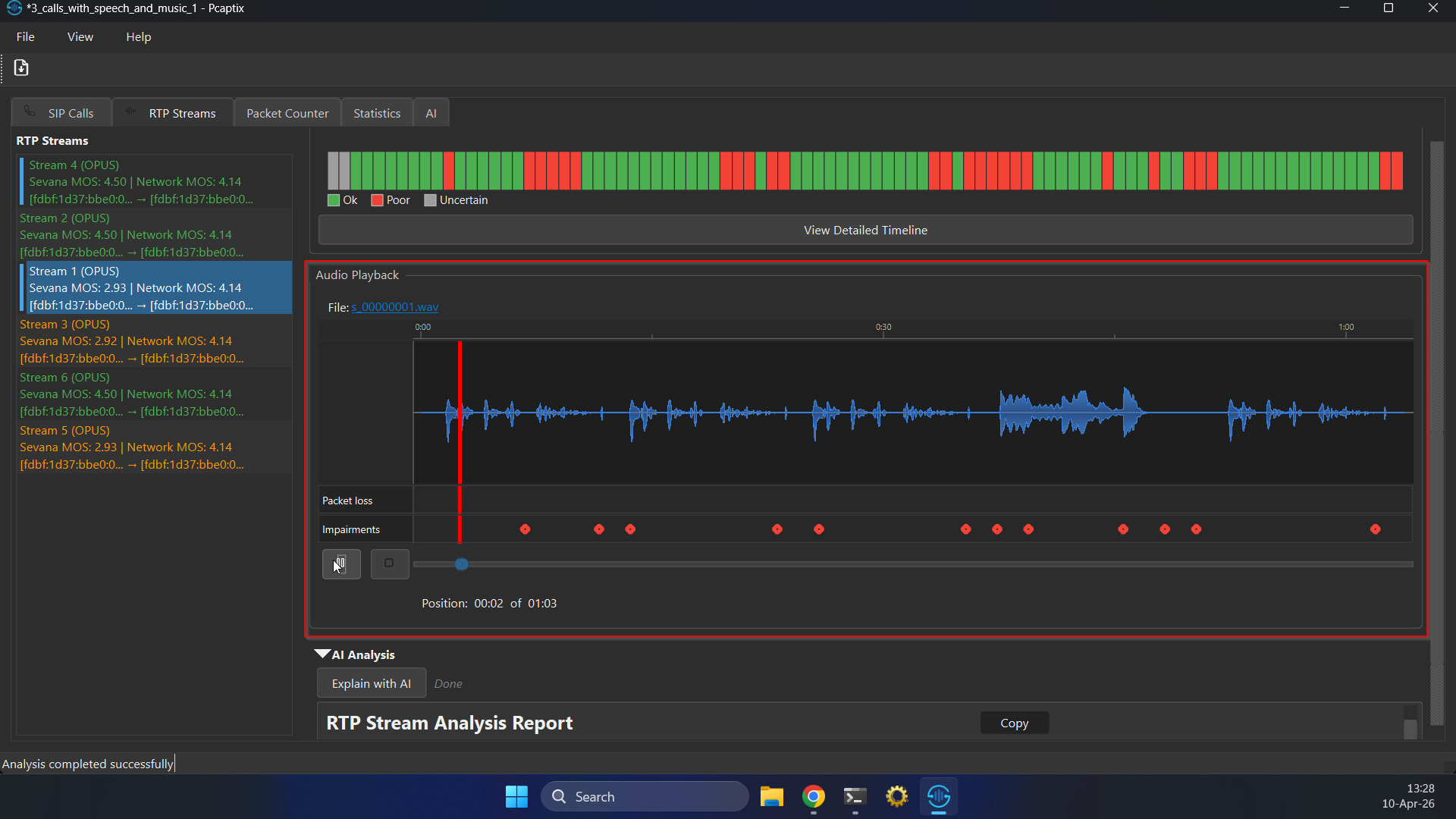
A 680 ms timeline flags clipping, echo and noise, while the waveform marks DTMF tones, packet loss and impairments. As a result, you see exactly where a call went wrong.
Inspect every VoLTE call and stream in depth
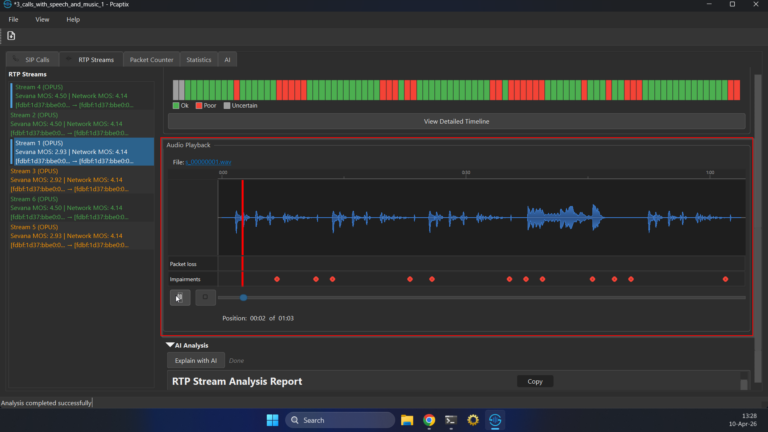
Select any stream and Pcaptix shows its codec, direction and timing, three MOS gauges, full network metrics, and the impairments it found. Below that, the embedded player draws the decoded waveform with three marker tracks: green for DTMF tones, orange-red for packet loss, and red for impairments. Consequently, a one-sided-audio or echo problem becomes obvious long before you open the audio.
Follow the IMS signalling end to end
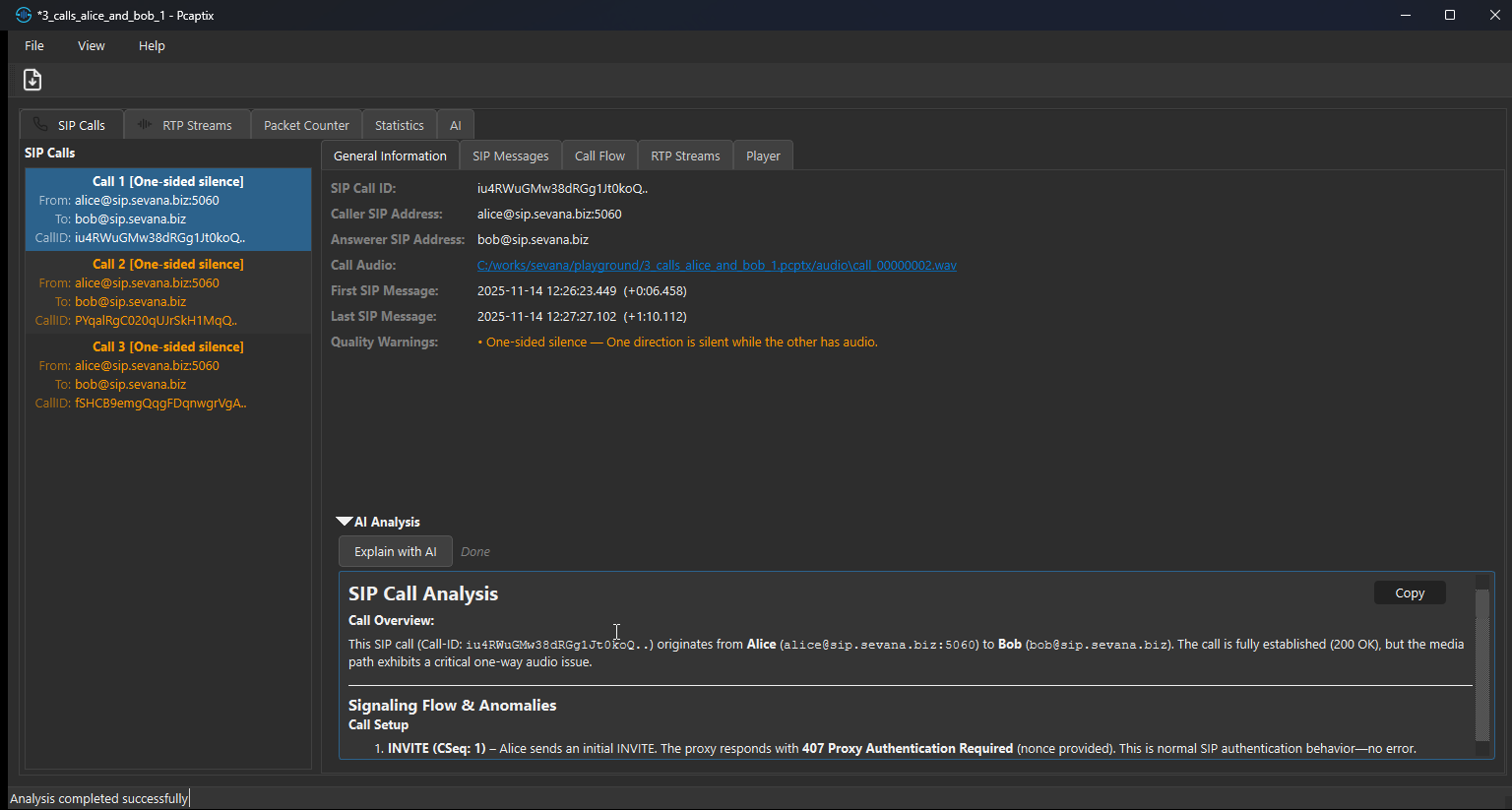
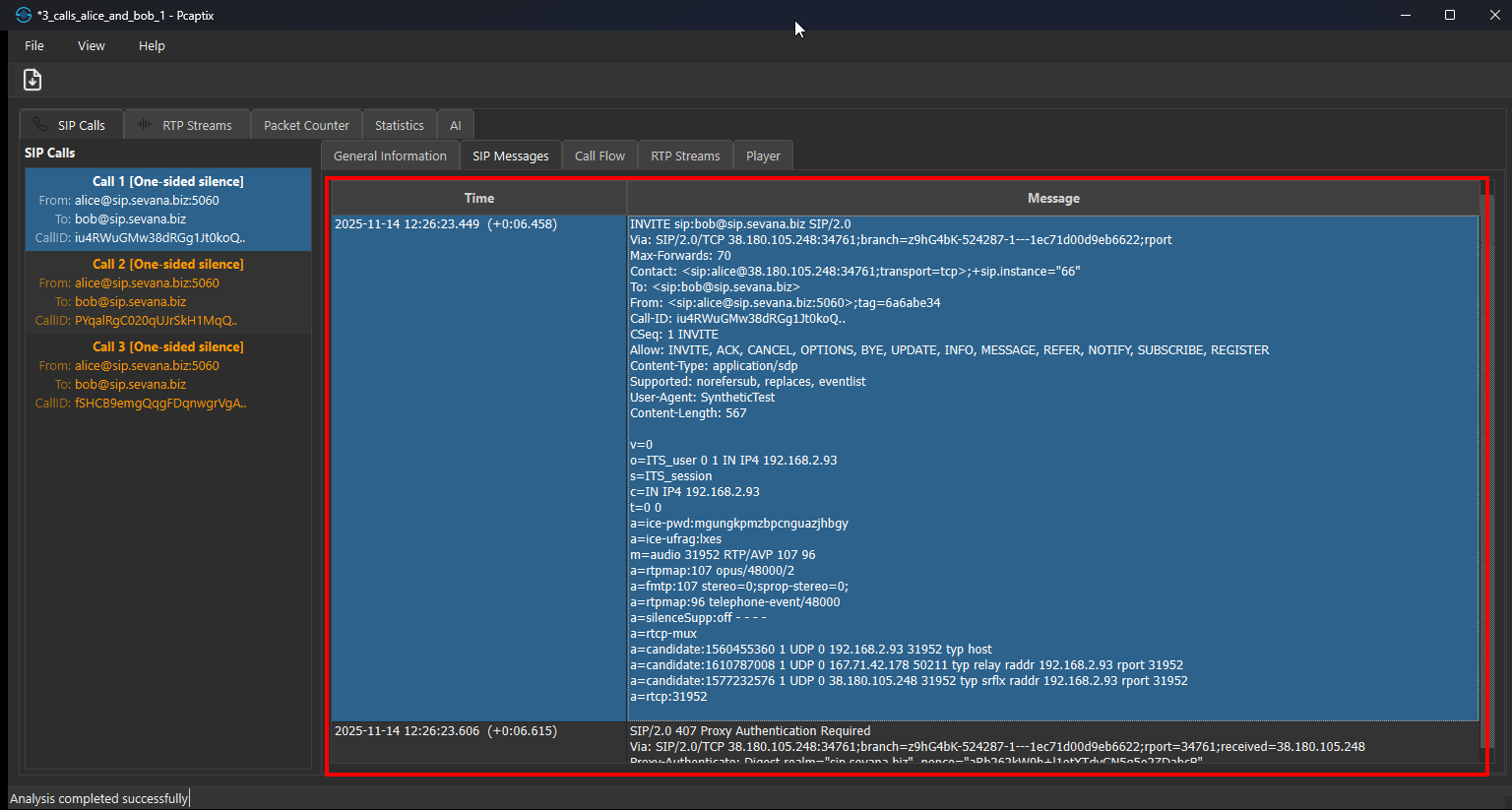
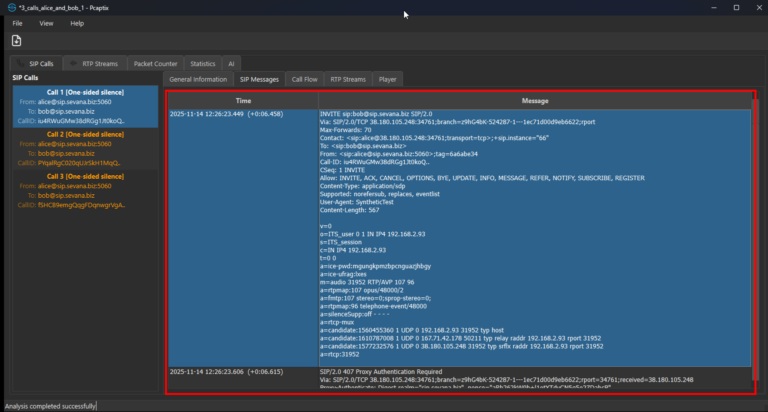
Open the Call Flow tab and Pcaptix lays out the signalling as a ladder between the discovered user agents and proxies, coloured by method and response class. If you need the raw exchange, the SIP Messages view lists every request and response with full headers and SDP, time-stamped against the capture. Together, these views make a failed registration, a codec mismatch or an authentication loop easy to spot.
Cross-stream statistics that pinpoint the cause
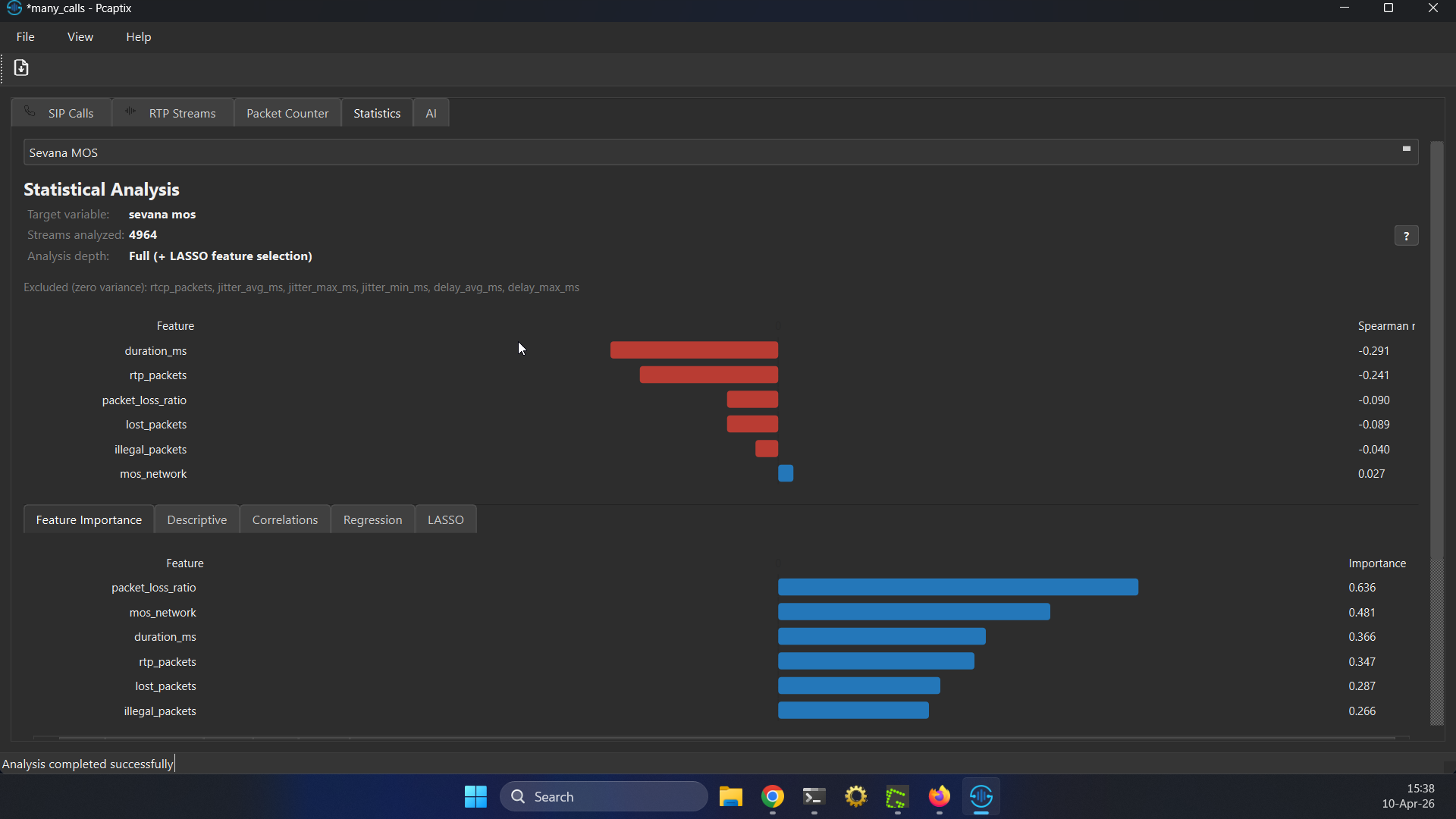
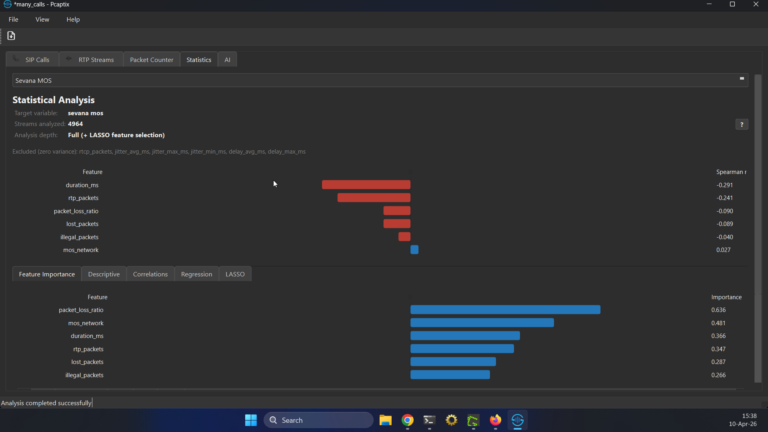
Beyond per-stream detail, every analysis runs an aggregate pass across all streams in the capture. It answers one question directly: which network conditions actually hurt VoLTE quality here, and by how much? To do that, Pcaptix combines correlation, regression and LASSO feature selection, and it scales the depth to the sample size. Optionally, per-subnet grouping reruns the same pipeline for each IPv4 or IPv6 segment, so you can tell whether loss dominates one segment while jitter hurts another.
AI that explains the findings
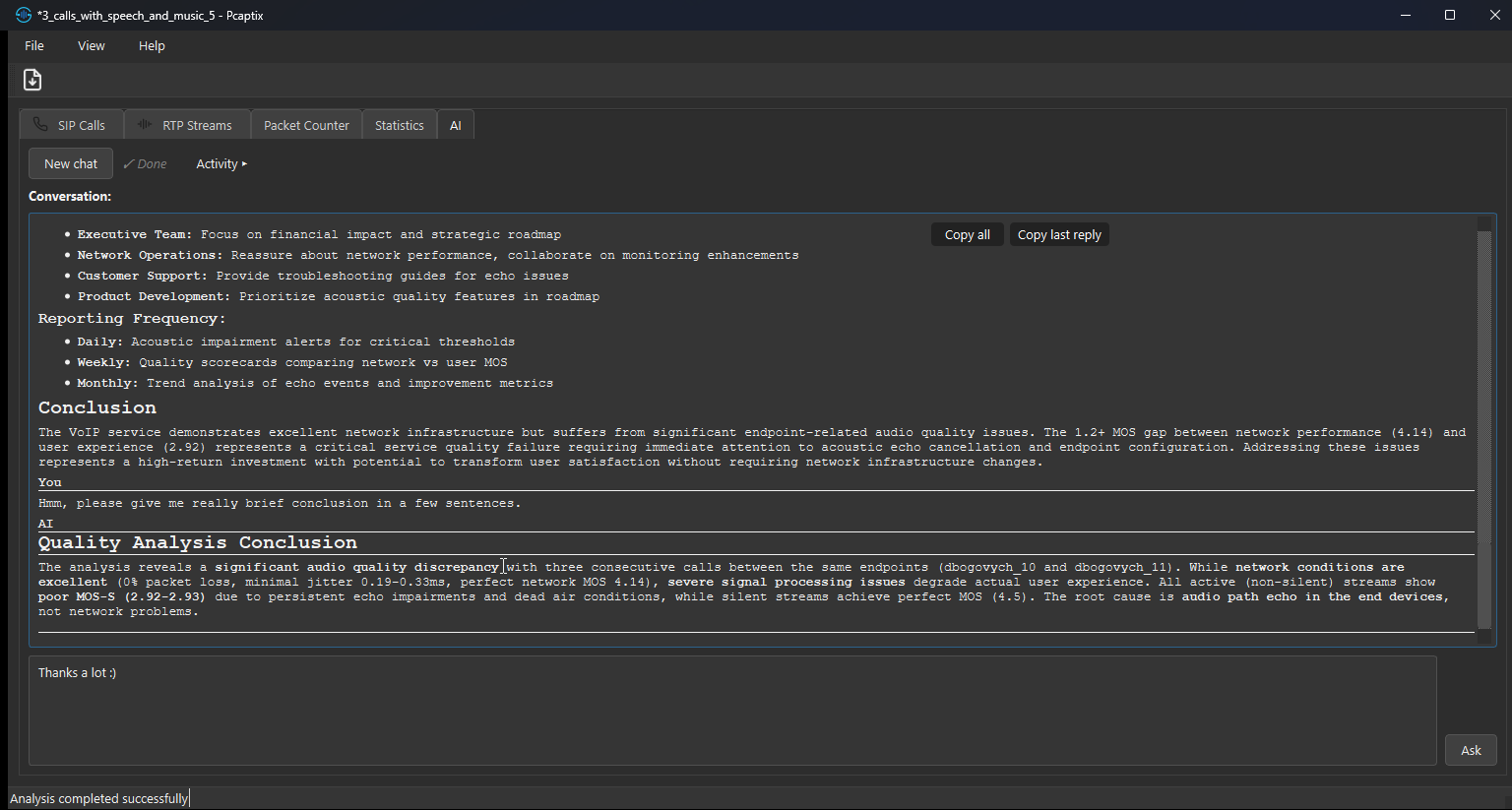
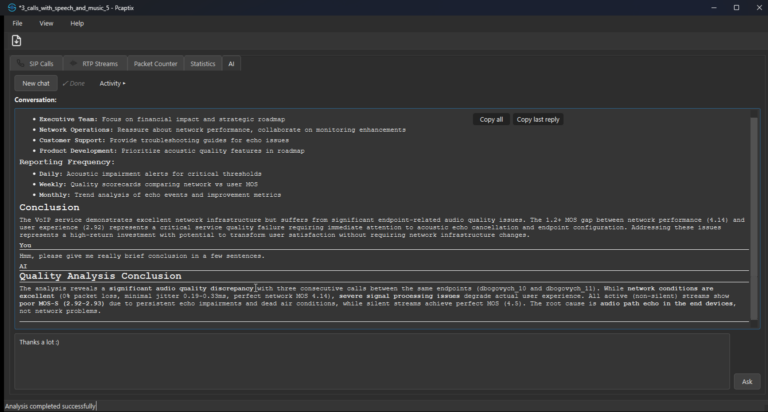
An opt-in assistant turns the numbers into plain English. Ask it to summarise the report, then drill into a single stream or the statistics, and it keeps the context across your follow-up questions. For large reports above 100 KB, it switches to a tool-augmented workflow and fetches only the parts it needs. Because the endpoint, model and prompts are all configurable, you can keep the default Sevana-hosted model or point Pcaptix at any OpenAI-compatible backend, including a local one.
Encrypted VoLTE traffic: IPsec ESP decoded in place
On the Gm interface, an IMS network protects both the SIP signalling and the RTP media with IPsec ESP in transport mode, so a capture taken there looks like nothing but IP protocol 50. The Desktop edition decrypts that traffic and then analyses the streams inside it exactly like a plaintext capture. It recovers the key material from the capture itself, taking the CK and IK keys from the 401 WWW-Authenticate response on Mw and the SPIs, ports and algorithms from the Security-Client and Security-Server headers on Gm, and joins the two halves by Call-ID. Alternatively, preload a Wireshark esp_sa keys file when the Mw leg was never captured. Harvested keys are also trial-matched against ESP flows whose SPIs were never advertised in signalling, such as dedicated media SAs, so the media still decrypts when only the signalling SAs are announced. Consequently, a VoLTE capture that Wireshark shows as opaque ESP still yields full MOS scores, quality timelines and call flows. ESP decryption is available in the Pcaptix Desktop edition from version 0.6.5 and runs entirely on your own machine, so the keys never leave it.
Desktop or web, the same engine
Both editions share Sevana’s vq_pcap engine and the same views: call flow, stream detail, dual MOS, timeline, waveform, markers, playback, and PDF or CSV export. The Web edition installs nothing, so it suits small captures, demos and quick sharing. By contrast, the Desktop edition removes the upload step and the size ceiling, which means parsing, decoding, MOS, statistics and the optional LLM all run locally, exactly what a mobile operator needs when a capture holds regulated subscriber traffic. The Desktop edition alone also decrypts IPsec ESP, so encrypted VoLTE captures from the Gm interface are analysed there rather than in the browser.
For continuous monitoring of live traffic rather than offline captures, see VQ Monitor; for the perceptual engine behind the scores, see Sevana PVQA. Both map their results to the ITU-T P.800 MOS scale.
Download Pcaptix and start your VoLTE call quality analysis
Grab the desktop build and analyse your own capture in minutes. The Windows installer and the Linux AppImage download free of charge, and both run without extra dependencies on Windows 10 or later and on Ubuntu 20.04+, Debian 11+ and compatible distributions. For commercial licensing or an online demo, simply get in touch.
Pcaptix Online DemoDownload for WindowsDownload for LinuxContact Sevana